

- 6
- 5
- 8

11
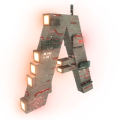
Official Member Badge
For NERDS
For NERDS
NOW BEHOLD...
![[NERDS] Official Member Badge](https://file.garden/aMbXMjK_5BcGOUCF/sketch1779673384335--circle.png)
(Click to go to group page)
(Click to go to group page)
Note: This badge is only licensed to those officially listed as a member of NERDS on the group page. If one is found copied by a non-member I (Lego_Master_A) will report it as copyright infringement. Rule of thumb: If I've DM'd you that you passed and are a member you are allowed to copy it.
So, to be clear, you are licensed according to the conditions listed AS LONG as you meet the conditions for being a member as stated above:
- You may copy the badge and put it anywhere you desire AS LONG as you have permission/authority to put it there.
- You may not relicense it to ANYONE else (other members are included because they already have the license to use it).
- You must include a link or clear instructions on how to get to a page where the NERDS organization can be discovered (e.g. the group page). I will be lenient on this one as it's not copyright infringement but just part of my conditions to use the badge.
Finally, you will not be liable if anyone violates this license or the right to use this license (i.e. because they have not been given permission as they are not a member). However, you may be liable if you witness the violation (e.g. see it on someone's profile page when they aren't a member) and don't report it to me or someone with authority under me.
Here is BBCode for displaying the stamp on your profile to help you out:
[center][url=https://www.sandboxgalaxy.com/group/thenerdenterpriseofresonantdistinctivestature/][img]https://file.garden/aMbXMjK_5BcGOUCF/sketch1779673384335--circle.png[/img][/url]

(Click to go to group page)[/center]
Just copy it then when you edit wherever you're putting it (e.g. a custom widget) press/click the < > icon and it'll pop up an editor titled "BBCode source". Just paste it there (at the bottom or at the top before everything if there's already stuff there) and press/click save and it'll show up.
If you have any questions, comments, or just anything you'd like to talk to me about, don't hesitate to contact me by commenting to this post. If you want to talk privately you can DM me. But don't contact me in a group guest book post or commenting on a group post as I won't be notified for some reason and might not see it when you need me to. If you do try to contact me via group posts, mention me so I get notified. :)
-Lego
2 Update Logs
Update #2 : by Lego_Master_A 05/29/2026 11:41:19 amMay 29 @ 3:41 pm UTC
Fixed BBCode as a beginning center tag was missing which made it not work right (the image displayed but you saw "[/center]" at the end).
LOAD MORE LOGS
More like this
 Music for The Infinitide™Sandbox Creative Blog
 Lego_Master_A
2/11/26 6:11
• posted 2/7/26 11:58
327 16x 11512
Lego_Master_A
2/11/26 6:11
• posted 2/7/26 11:58
327 16x 11512
 Preparation for posting... THE INFINITIDE!!! ∞Sandbox Article BlogLego_Master_A
•2/7/26 10:36
245 1x 11310
Preparation for posting... THE INFINITIDE!!! ∞Sandbox Article BlogLego_Master_A
•2/7/26 10:36
245 1x 11310

 Ender Sparkle
497
6










Have something to say?